GenFashion: Shoppers see your clothes on themselves before they buy.

AI virtual try-onLive

GenFashion adds AI virtual try-on to a fashion store. A shopper uploads one photo and sees any garment from the catalogue on their own body, in about a minute.

Free credits when you sign up. No card needed.

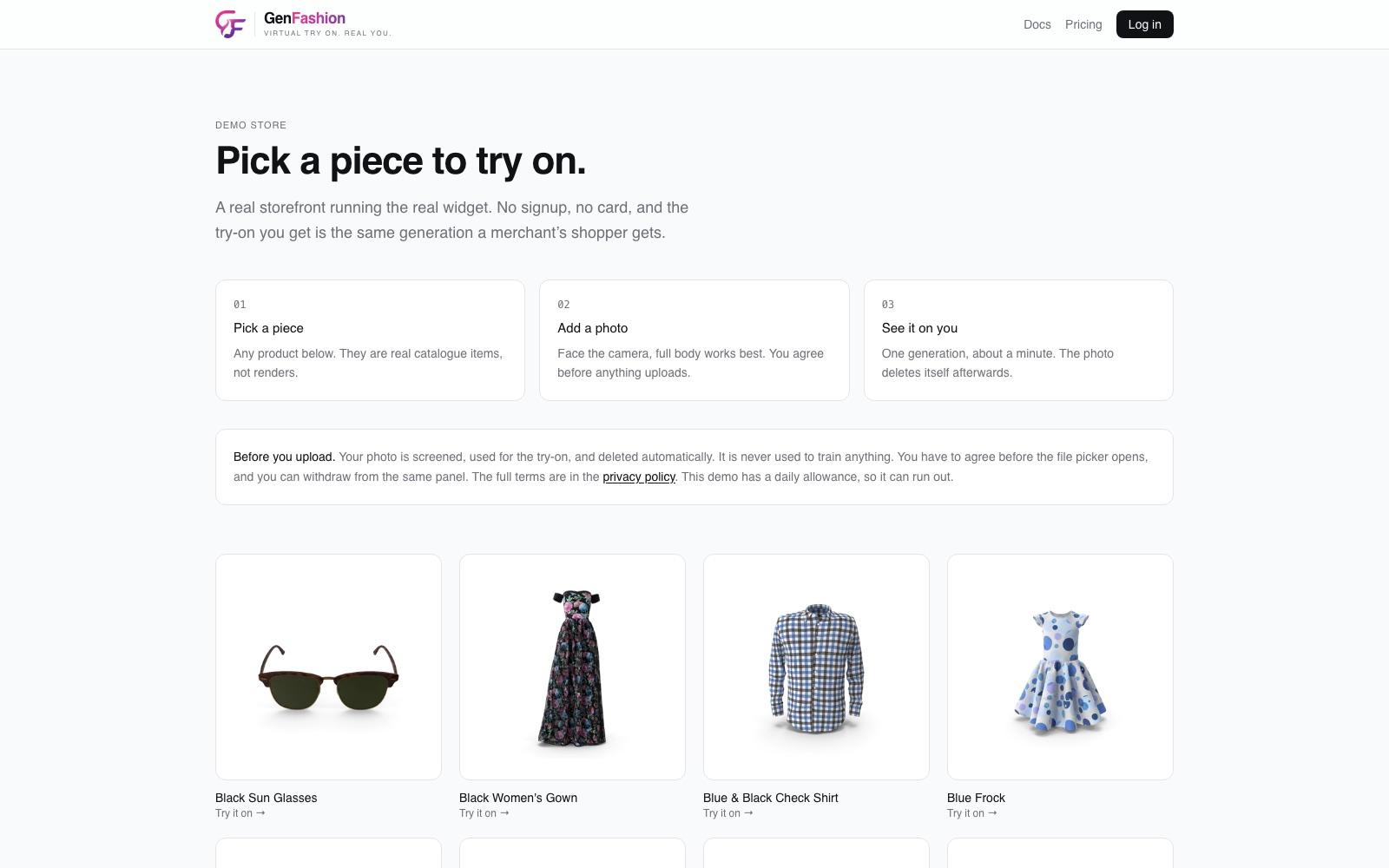
Or try the live demo first, with no account.

Building with it? Read the documentation.

GenFashion has its own Terms and Privacy policy.

genfashion.buildframe.tech
The GenFashion website at genfashion.buildframe.tech

Who it is for

Fashion stores selling dresses, denim, outerwear, activewear or bridal from their own storefront, and developers building try-on into their own apps.

The problem it solves

Shoppers cannot tell how clothes will look on them, so they hesitate, buy several sizes, or send things back.

What it does

Inside GenFashion

One photo, whole catalogue

A single photo is enough to try on any garment you sell, without the shopper leaving the product page.

A widget for your store

One script tag puts a Try it on button on your product pages, with a key that only works on the addresses you allow.

Developer API

The same engine behind a documented API, so try-on can live inside your own app or site.

Merchant console

Your catalogue, try-on logs, credits, keys and team in one place, with a playground to test before going live.

Photos that delete themselves

Shopper photos are removed automatically after 1, 3 or 7 days, the period you choose, and they are never used for training.

Pay as you go

Credit packs instead of a fixed contract. No monthly fee, so a quiet month costs nothing.

And the rest

Everything around the try-on

For your store

  • Add products by link or by upload
  • Shopify stores: connect by arrangement, write to us
  • WooCommerce: planned next
  • Other storefronts: the script tag works anywhere you can edit the page

For your team

  • Staff logins with roles for admin, analyst and developer
  • A log of every try-on
  • Photos are screened before any image is generated
  • Help articles and support tickets inside the console

How it works

Running on GenFashion this afternoon

One script tag on your store. No hardware, no migration project.

  1. Step 1: Create your workspace

    Your store's name, your email and a password. Free credits come with the account and no card is needed.

  2. Step 2: Add your products

    Paste an image link or upload a photo for each garment you want shoppers to try.

  3. Step 3: Test it in the playground

    Upload a photo of yourself and see the result before any shopper does.

  4. Step 4: Put it on your store

    Create a key for your store's address and add the script tag with each product's id. The button appears on your product pages.

Pricing

Pay for the try-ons you use

No monthly fee. Your account starts with 5 free credits, no card needed. Buy a pack when you want more.

Top-up

100 credits

₹1,500

₹15 a try-on

  • One credit for each try-on
  • A failed try-on costs nothing
  • Widget, API and console included

Bundle

500 credits

₹5,000

₹10 a try-on

  • One credit for each try-on
  • A failed try-on costs nothing
  • Widget, API and console included

Volume

2,500 credits

₹22,500

₹9 a try-on

  • One credit for each try-on
  • A failed try-on costs nothing
  • Widget, API and console included

Prices are in Indian rupees. Packs are one-time purchases. Expecting more volume than the largest pack? Tell us and we will quote it properly.

Questions

GenFashion: before you ask us

Short answers to what people ask first. Anything else, write to us.

What does a try-on cost?

One credit. If a try-on fails, the credit is not spent. Buy credits in packs when you need them; there is no monthly fee.

How long does a try-on take?

About a minute. The photo is checked first, then the image is generated, so this is a wait to design around, not an instant swap.

What happens to a shopper's photo?

It is deleted automatically after 1, 3 or 7 days, the period you choose. Photos are never used to train models.

Does it work with Shopify or WooCommerce?

Shopify is by arrangement for now, so write to us and we will set it up with you. A WooCommerce plugin is planned next. On any other storefront, the script tag or the API works today.

Can I try it before signing up?

Yes. The live demo runs the real widget on a sample catalogue, with no account.

Ready to see GenFashion for yourself?

Start with free credits, or try the live demo first. Questions? Write to us.

Also from Buildframe

More products

Buildframe Ecommerce

Live

Online store

A complete online store under your brand, with iOS and Android apps on request.

  • Web storefront with search, wishlist and offers
  • iOS and Android apps for your store, on request
  • Back office for orders, stock, promotions and customers

TripSetu

Live

Fleet & bookings

Run your cabs, drivers and bookings, and see which vehicle actually earns.

  • Vehicles, documents and expiry alerts
  • Bookings, trip sheets and driver pay
  • Profit and loss for every vehicle
All products